How to Print Baby Shower Bingo Cards: Paper, Print Shops, Cutting
You've made your bingo cards, the PDF is in your inbox, and now it's two days before the shower. The last thing you want is to find out at 11 pm that your printer jams on cardstock, or that the cards came out shrunk with a white border because of a setting nobody tells you about.
This is the practical guide to getting from PDF to a neat stack of cards on the gift table: what paper to buy, how many sheets you need, home printer vs. print shop, the one setting that matters, and how to cut 30 cards without losing an afternoon.
Step 1: figure out how many sheets you need
Count your guests, add about 10% for extras (someone always shows up with a plus-one, and kids love to play), then divide by the number of cards per page.
BabyBingo PDFs come on US Letter paper (8.5 × 11 in) with 2, 3 or 4 cards per page, your choice:
| Cards per page | Best for | Sheets for 30 cards | Sheets for 50 cards |
|---|---|---|---|
| 2 | 5×5 cards, older guests, easy reading | 15 | 25 |
| 3 | 4×4 cards, a good balance | 10 | 17 |
| 4 | 3×3 cards, saving paper and ink | 8 | 13 |
If grandparents are playing, go with 2 per page. Bigger squares mean bigger text, and nobody has to squint at a 5×5 card from across the room.
Step 2: pick the paper
| Paper | Weight | Works in a home printer? | Feel |
|---|---|---|---|
| Regular copy paper | 20–24 lb | Yes | Flimsy; fine if guests have clipboards or a table |
| Light cardstock | 65 lb | Yes, almost every inkjet and laser | Sturdy, the sweet spot |
| Heavy cardstock | 80–110 lb | Check your printer's manual | Feels premium, can jam home printers |
Our recommendation: 65 lb white cardstock. It's sturdy enough for guests to hold on their lap while marking squares, works in nearly every home printer, and a pack of 50 to 100 sheets is inexpensive at any office supply store or online.
Matte paper reads better than glossy under indoor lights and is easier to write on.
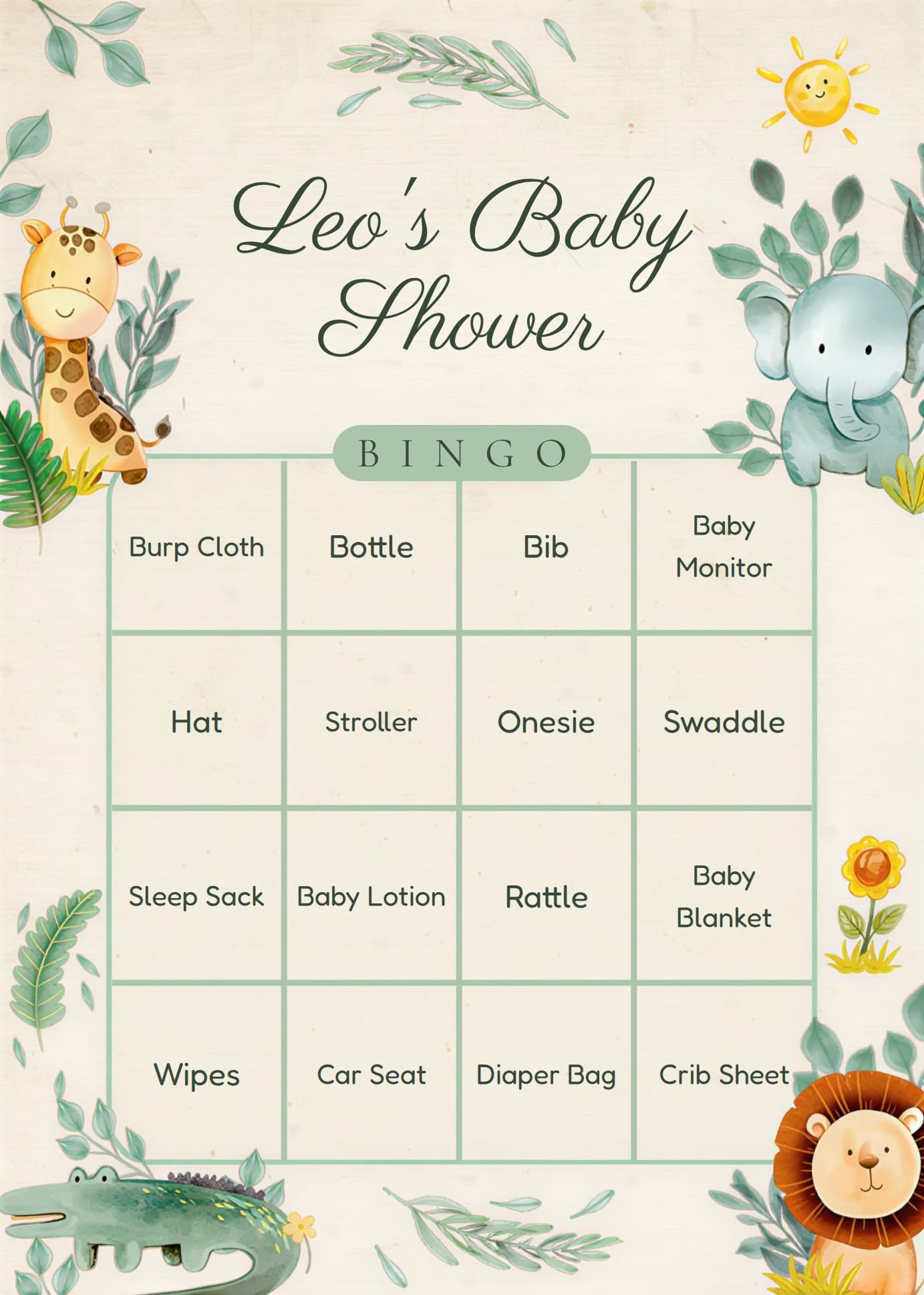
Get a print-ready PDF in about a minute
Pick your theme, words and how many cards per page. BabyBingo emails a US Letter PDF with dashed cutting lines and a caller sheet.
Free preview · $9.90 one-time payment · No account needed
Step 3: print at home (the settings that matter)
- Open the PDF in a PDF viewer (Adobe Acrobat Reader, Preview on a Mac, or your browser), not in a photo app.
- Set the scale to "Actual size" or 100%. This is the big one. "Fit to page" shrinks everything a little and the cutting lines no longer line up nicely.
- Choose the paper type in the printer settings: "Cardstock", "Heavy" or "Matte" if your printer offers it. It slows the printer down so the ink doesn't smudge.
- Print one test page first on regular paper. Check the colors and the margins before you use up your cardstock.
- Feed cardstock a few sheets at a time if your printer tends to jam, or use the rear manual feed slot if it has one.
Ink tip: colorful themes like Safari or Floral use more ink than minimal ones. If your color cartridge is low, a print shop is cheaper than a new cartridge.
Step 4 (or instead): use a print shop
Staples, Office Depot, FedEx Office and The UPS Store all print from a PDF, and it's often the fastest way if you need many sheets or heavy cardstock.
- Upload the PDF online and pick it up the same day, or bring it on a USB stick.
- Ask for color, single-sided, on cardstock, and say "print at 100%, no scaling".
- Ask them to cut it. Many shops will cut along the lines with their guillotine cutter for a small fee, which saves you the most tedious part.
- Price: color pages usually cost under a dollar each, plus a bit more for cardstock. Prices vary by store, so check your local one online before you go. For 15 sheets, you're looking at a small cost.
Step 5: cut the cards
BabyBingo PDFs have dashed lines between the cards so you know exactly where to cut.
- Paper trimmer: the fastest option. Stack 3 or 4 sheets of cardstock and cut along the lines in one go.
- Scissors: fine for 10 to 15 sheets. Put on a show and get a helper.
- Craft knife and ruler: the cleanest edges, but slower.
Cut the day before, not the morning of. Then put the cards on a tray or in a basket by the entrance, or on each seat with a pen.
What guests use to mark the cards
- Pens or markers: simplest, and guests can keep the card as a souvenir.
- Small stickers (hearts, stars, dots): cute and fun for kids.
- Bingo daubers: classic and colorful, but they bleed through thin paper. Use cardstock.
- Candy markers (M&Ms, jelly beans): fun, but they roll off cards on laps. Only for table seating.
Want to reuse the cards? Slip each card into a clear sheet protector and give guests dry-erase markers.
Don't forget the caller sheet
Every BabyBingo order includes a caller sheet: a list of every word on the cards. The host or "bingo caller" checks off each word as the gift is opened or the word is drawn, so when someone shouts "bingo!", you can verify it in seconds.
If you're playing draw bingo (calling words from a bowl instead of watching gifts), the optional calling cards add-on gives you every word laid out on slips to cut and draw. See how to play baby shower bingo for both game styles.
Printing checklist
- Count guests + 10% extras
- Pick cards per page (2 for grandparents, 3 or 4 to save paper)
- Buy 65 lb white matte cardstock
- Print a test page on regular paper at 100%
- Print the cards and the caller sheet
- Cut along the dashed lines the day before
- Pack pens, stickers or daubers
Frequently asked questions
What paper is best for printing bingo cards?
65 lb white matte cardstock. It's sturdy enough to hold on a lap, works in almost any home printer and is easy to write on.
Can I print bingo cards on regular paper?
Yes. Regular copy paper works fine, especially if guests sit at a table or use clipboards. Cardstock just feels sturdier and holds up better to daubers.
Can Staples or FedEx print bingo cards?
Yes. Upload the PDF, ask for color on cardstock at 100% scale, and ask them to cut along the lines. Most stores can have it ready the same day.
How many bingo cards fit on one page?
With BabyBingo you choose 2, 3 or 4 cards per US Letter page. Two per page gives the biggest, easiest to read cards.
Why do my bingo cards print smaller than expected?
Your print settings are probably set to "Fit to page". Change the scale to "Actual size" or 100% and print again.